
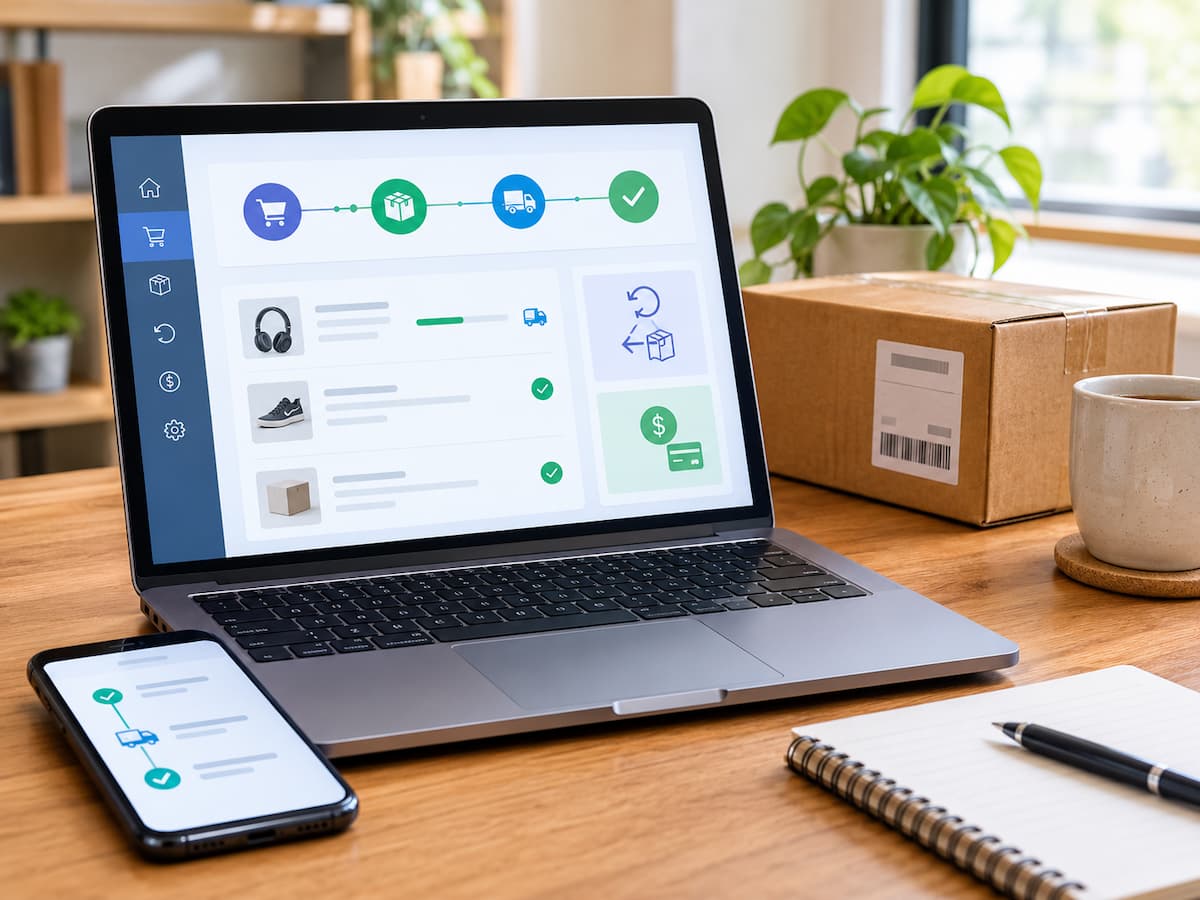
An online order can look finished long before the entire transaction is complete. A package may arrive while its return deadline is approaching, or a returned item may reach the seller while the refund remains unresolved. When purchases come from several stores, keeping these details straight in separate emails and shopping accounts becomes difficult.
Imagine a shopper who ordered a pair of shoes three weeks ago and returned them because they did not fit. The return was delivered to the seller, but the refund has not appeared in the shopper’s account. Meanwhile, a recently delivered appliance has to be returned before its stated deadline. The shopper has both confirmation emails but cannot remember which transaction needs attention first.
The problem is not necessarily a lack of organization. It is the absence of a reliable way to identify the current status of each purchase and its next required action. A simple transaction tracker can solve this problem without paid software or a complicated spreadsheet. The goal is to follow every purchase from confirmation to final resolution, record important deadlines, and make outstanding tasks visible before they become urgent.
Build the Tracker Around the Life of a Purchase
A dependable system follows the stages of an online transaction rather than simply collecting order numbers. Each purchase should have a current status, important dates, and a clear next action. You can build the system in a spreadsheet, a notes application, or a task manager you already use. A spreadsheet works particularly well when you regularly shop at multiple stores because each purchase occupies one row. A notes app may be sufficient if you make only a few purchases each month.
Choose one primary tracker. If order details are scattered between a spreadsheet, several notes, and an unrelated task list, maintaining the system can become more work than checking the original emails. Calendar reminders and notifications can support the tracker, but they should not become competing records of the transaction.
Record only information that supports a decision.
Every purchase does not need a detailed history. The tracker should contain enough information to answer three questions: What happened? What remains unfinished? When must I act?
Record these fields for each purchase:
- Store or seller: The name shown on the order confirmation.
- Order reference: The order number or another identifier that helps locate the transaction.
- Purchase date and total: The date of the order and the amount paid.
- Expected delivery or delivery status: The estimated arrival date, current shipment state, or confirmed delivery date.
- Return deadline: The applicable deadline if the item may be returned.
- Return tracking or case reference: The return authorization, shipping reference, or support case number when relevant.
- Refund status and next action: Whether the refund is expected, pending, received, or requires follow-up, along with the next step and its due date.
A single additional field called Next Action Date is especially useful. It tells you when to review or act on a transaction without requiring you to read every note. For example, a purchase awaiting delivery might need checking on the expected arrival date. A return already shipped might need follow-up after the seller’s stated processing period. A delivered item with no planned return may need no further action. Do not confuse an expected date with a confirmed event. If a delivery estimate changes, update the estimate rather than recording the package as delivered.
Move Each Order Through Clear Statuses
A status label should describe the purchase’s current stage, not every event that has occurred. A small, consistent set of labels makes the tracker easier to scan.
| Status | When to use it | Next action |
|---|---|---|
| Ordered | The order is confirmed but has not shipped. | Check the expected dispatch or delivery date. |
| Shipped | The seller or carrier confirms dispatch. | Monitor delivery, especially if the date changes. |
| Delivered | The item has arrived, and no return has been started. | Check the item and note any return deadline. |
| Return Started | A return request has been submitted or authorized. | Follow the seller’s return instructions. |
| Refund Pending | A refund is expected but has not been verified as received. | Check the promised processing window and follow up when appropriate. |
| Closed | The transaction is resolved, including any refund or cancellation that applies. | No routine action is needed. |
These labels are intentionally broad. A cancellation can be recorded in the notes, with the status changed to Refund Pending if the seller owes money back. If an order is cancelled before payment is captured and no refund is due, it can be marked Closed once the cancellation is confirmed. Likewise, a return does not automatically become closed when the seller approves it. Approval means the return has been accepted under the seller’s process; it does not prove the item was shipped back or that the money was returned. Use the next-action field to preserve the details that a broad status cannot express. For instance, two purchases may both show Refund Pending, but one may be waiting for the return to arrive while the other may require a support inquiry.
Create a Tracker You Can Maintain in Minutes
An ordinary spreadsheet is enough to start. Create one sheet called Order Tracker and use the following columns:
| Store / Seller | Order Reference | Purchase Date / Total | Delivery Status | Return Deadline | Return Reference | Refund Status | Next Action / Due Date |
|---|---|---|---|---|---|---|---|
| Shop A (fictional) | A-1048 | 5 Oct / 4,500 | Delivered | 19 Oct | Not started | Not applicable | Inspect item / 16 Oct |
| Shop B (fictional) | B-2073 | 28 Sep / 2,800 | Return delivered | — | R-8831 | Refund Pending | Check the stated window on 20 Oct. |
| Shop C (fictional) | C-3196 | 14 Oct / 1,200 | Shipped | — | — | Not applicable | Check delivery on 18 Oct. |
All stores, order references, dates, and amounts in this table are illustrative examples. They do not describe real retailers or policies.
The sample uses a single delivery-status column and a separate refund-status column. This is deliberate: delivery and refunds can progress independently. If you prefer, you can rename Delivery Status to Current Status and record the transaction’s overall stage there but retain enough notes to distinguish shipment, return, and refund events. When copying the template, use the date format that makes sense in your region and keep it consistent. Include the currency symbol or currency code if you shop across different currencies. Do not assume that an amount shown in one currency can be directly compared with another.
You do not need to fill every field immediately. Enter the store, reference, purchase date, total, and expected delivery information when you receive the confirmation. Add the return deadline when you have checked the applicable policy. If you never return the item, the return-reference field can remain blank. Avoid adding columns simply because a spreadsheet allows them. Fields for product descriptions, seller ratings, coupon codes, or every tracking update can make the tracker harder to maintain without improving your ability to act.
Capture Order Details Without Exposing Sensitive Information
The confirmation email is usually the best starting point because it connects the order number, purchase date, total, and seller in one place. Copy only the information needed for follow-up. An order reference is useful, but it is not a reason to copy an entire invoice into a general-purpose note. Avoid storing full card numbers, account passwords, one-time verification codes, recovery codes, or sensitive authentication details in the tracker. Never record security answers or payment credentials just to make a transaction easier to find.
If you need proof of payment or a return receipt, keep the original message or document in the appropriate account or secure storage location. The tracker can point you toward it by recording the order reference or a short note such as “confirmation email received.” There is no need to duplicate every detail. Also consider who can access your chosen tool. A shared household spreadsheet may be useful for family purchases, but it should not expose private order information to everyone who can open the file. Limit sharing permissions and avoid including personal delivery details unless they are necessary.
Use Email Search and Reminders to Reduce Manual Work
The tracker does not replace the seller’s messages or carrier updates. It gives those messages a clear place in the purchase’s history and identifies when you need to revisit them.
Make confirmation emails easy to retrieve.
Use your email service’s existing search function rather than manually sorting every message into new folders. Search by the order reference, seller name, or a distinctive phrase from the confirmation. When the seller sends separate messages for dispatch, delivery, and refunds, the same order reference can help you connect them.
If your email application supports labels or folders, a simple label such as “Order Follow-up” may help with transactions that still need attention. Apply it selectively. Labeling every promotional email or shipping notification adds unnecessary work. For each meaningful event, update the tracker. Record a dispatch confirmation when the order ships, the delivery date when it arrives, and the return reference when the seller or carrier provides one. You do not need to copy every movement of a package unless a delay or delivery dispute makes those details important.
Set reminders for decisions, not every status change.
Use your existing calendar or task manager to create reminders for dates that require action. A reminder such as “Check return deadline for A-1048” is more useful than a generic notification that says “Shopping.” Base reminders on the actual return policy and dates stated in your order or return confirmation. If a return deadline is approaching, set an early reminder that leaves enough time to inspect the item, prepare it, and arrange the required drop-off or collection. If a refund is pending, record the seller’s stated processing window and set a follow-up task for an appropriate date after that window.
For an important deadline, consider setting two reminders: one well before the deadline and another closer to it. The spacing depends on how much preparation the return requires. A parcel that needs repacking and a drop-off trip deserves more advance notice than a return that can be arranged online in a few minutes. If a seller changes the delivery estimate or gives you a new refund follow-up date, update the tracker and replace the outdated reminder. Keeping obsolete notifications can create confusion about which date matters.
Handle Orders That Do Not Follow the Simple Path
Most transactions are straightforward, but the tracker should also handle exceptions without forcing you to build a new system.
- Multiple packages: One order can have several shipments. Keep one main order row and note each package’s tracking reference and delivery state in the notes or a linked task. Do not mark the whole order Delivered until all expected packages have arrived, unless you clearly record that delivery is partial.
- Delayed deliveries: Replace the old estimate with the latest confirmed estimate and note the date it changed. If the package passes the expected date, check the carrier’s tracking information and the seller’s instructions. Do not treat a missed estimate as proof that the package is lost.
- Partial refunds: Record the original total, the amount refunded, and the remaining amount expected. For example, a fictional purchase of 4,000 units with a partial refund of 1,000 units should remain open if another 500 units are still expected. The status should reflect the unresolved balance rather than simply saying “Refund received.”
- Cancelled orders: Record the cancellation confirmation and whether any payment was taken or remains to be returned. A cancellation request is not the same as a confirmed cancellation, and a confirmed cancellation does not necessarily mean a refund has already arrived.
- Returns requiring a drop-off receipt: Record the return reference, the drop-off date, and the carrier tracking number if available. Keep the receipt until the seller confirms the return is resolved. If the receipt is printed, a note that identifies where it is stored can help you find it later without copying unnecessary personal details.
For unusual transactions, brief notes are more useful than adding a separate column for every possible exception. The tracker should remain easy to understand even when a purchase takes an unexpected path.
Follow the Full Journey: A Worked Example
Consider a fictional purchase of a household appliance from “Shop D.” The item costs 6,000 units in an unspecified currency. The dates and amounts below are illustrative, not a statement about any real seller’s return or refund policy.
Stage 1: Order confirmation. On 2 October, the shopper receives confirmation for order D-4402. They enter the seller, order reference, purchase date, total, and estimated delivery date in the tracker. The status is Ordered, and the next action is to check delivery on the stated estimate.
Stage 2: Dispatch and delivery. On 4 October, the seller confirms dispatch. The shopper changes the delivery status to Shipped. The appliance arrives on 7 October, so the shopper records the delivery date and checks the seller’s stated return conditions. The tracker now shows Delivered, with a return deadline of 21 October as stated in this fictional example.
Stage 3: Return request. On 10 October, the shopper discovers that the appliance does not suit the available space. After checking the return conditions, they submit a return request. The seller authorizes it and supplies a return reference, R-5510. The shopper changes the status to Return Started, records the reference, and sets a reminder to prepare the parcel before the applicable deadline.
Stage 4: Return shipment. On 12 October, the shopper drops off the parcel and receives a shipping receipt. They record the tracking number and drop-off date, then retain the receipt. The parcel’s tracking information later confirms delivery to the seller. The shopper updates the notes and changes the status to Refund Pending because the seller has the returned item but the refund has not been verified.
Stage 5: Refund follow-up. The return confirmation states a particular processing window. The shopper records that window and schedules a task to check the payment after the stated period. If the refund arrives, they compare the amount with the original transaction and mark the order Closed. If it does not, they follow the overdue-refund procedure below.
The benefit is not that the tracker speeds up the payment. It ensures that the shopper can identify the order, establish what has happened, find the relevant confirmation, and know when a follow-up is appropriate.
What to Do When a Refund Is Overdue
A pending refund deserves attention when the seller’s stated processing window has passed, a promised follow-up date has been missed, or the transaction’s status is unclear. Do not assume that every refund should arrive within the same number of days. Timing can vary by seller, payment method, transaction type, and applicable policy.
Start by checking the seller’s published return or cancellation policy and the confirmation for the specific transaction. Confirm that the return was authorized, that any required item or evidence was received, and that the seller has actually approved or initiated the refund. A carrier delivery confirmation and a seller’s refund confirmation establish different things.
Next, gather the original order reference, return authorization or case number, return tracking number, drop-off receipt, and any message stating the expected refund window. Contact the seller through an official support channel found on its website or within the account where you placed the order. Explain the sequence of events, state the amount still outstanding, and ask whether the refund has been initiated and whether any action remains. Record the contact date, support case reference, response, and next promised follow-up date in the tracker. If the seller provides a new date, schedule the next reminder accordingly. Avoid sending repeated messages through several unrelated channels without checking the existing case, as this can make the history harder to follow.
If the matter remains unresolved, review the seller’s formal complaint process and consider contacting your payment provider about the options available for the transaction. Keep the relevant evidence and observe any applicable dispute deadlines. Consumer rights and formal escalation routes differ by jurisdiction, so consult the rules that apply where you live rather than assuming one country’s protections apply everywhere. The purpose of tracking is to make the next reasonable action clear. It cannot guarantee a faster refund, but it can prevent an unresolved transaction from disappearing among newer purchases.
Common Tracking Mistakes to Avoid
A few habits can undermine an otherwise useful system:
- Treating delivery as completion: A delivered item may still have a return deadline, an open complaint, or a pending refund.
- Recording dates without their meaning: Distinguish an estimated delivery date, a return deadline, and a promised refund follow-up date.
- Marking a return complete when it is only approved: Keep it open until the return and any expected refund are resolved.
- Tracking every minor update: Record events that change the status, affect a deadline, provide evidence, or require action.
- Leaving the next step blank: Every open transaction should have a useful next action or a deliberate review date.
- Closing a partial refund too early: Verify that the expected amount has been received before closing the transaction.
A tracker does not need perfect detail to be reliable. It needs accurate statuses, meaningful dates, and enough evidence to support the next decision.
Keep the System Healthy With a Short Weekly Review
Choose a regular time each week to review open purchases. Five minutes may be enough when you have only a few transactions; a larger list may take longer. The aim is to catch exceptions, not to inspect every order from the beginning. First, scan all transactions that are not Closed. Look for approaching return deadlines, overdue delivery estimates, missing return receipts, and refunds whose stated processing windows have passed. Next, open the relevant email or seller account for any item that needs attention. Update the status, record new reference numbers, and set a reminder for the next meaningful date.
Then check whether any purchase can safely be closed. An order can usually be marked Closed when it has been delivered and no further return, complaint, or refund action is expected. A returned purchase can be closed after the return process is resolved and any expected refund has been verified. A cancelled order can be closed once cancellation is confirmed and no payment remains outstanding.
Keep the essential transaction details and relevant evidence for as long as you may reasonably need them for a return, dispute, accounting purpose, or other applicable obligation. Once a transaction is fully resolved and no longer needs active monitoring, remove its reminders and move it to an archived section if that helps keep the active list short. Do not delete receipts or records simply because a tracker row is closed; retention needs vary with the purchase and applicable requirements.
The system works best when it stays small. One tracker, a few consistent statuses, reliable reminders, and a short weekly review are enough to make online purchases easier to follow. Instead of relying on memory to remember which package arrived or which refund is still missing, you have a clear record of what happened and what needs to happen next.