
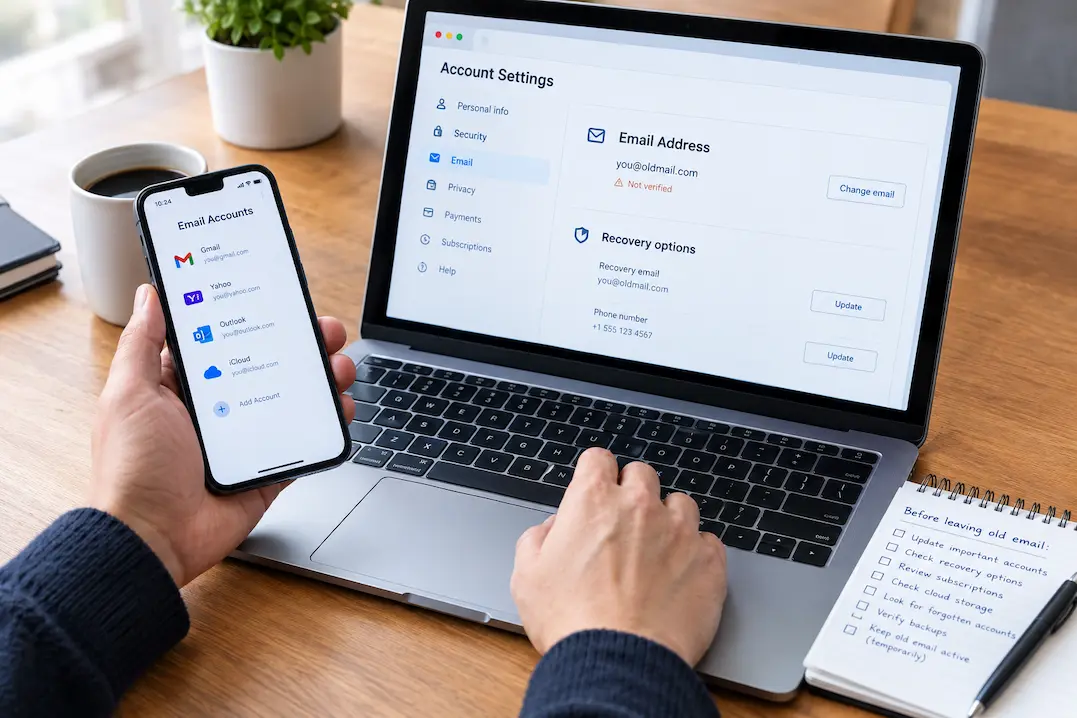
Changing an old email address is not really an email task. It is an account-migration task.
An address that you have used for years may be connected to shopping accounts, cloud storage, subscriptions, work services, financial accounts, social platforms, software licenses and, most importantly, password recovery.
The biggest risk is not forgetting a newsletter.
It is discovering months later that an important account still depends on an inbox you no longer control.
A safer approach is to treat the old address as a map of your digital accounts and move those connections in priority order.
Start With Accounts That Can Lock You Out
Not every account deserves the same urgency.
Begin with services where the old email address can affect your ability to sign in, recover a password or receive a security alert.
Prioritize:
- your primary email account
- password managers
- cloud storage
- financial services
- important work accounts
- government or essential services
- device accounts
- important social and communication accounts
- accounts containing irreplaceable information
A useful question is:
If I lost access to the old email tomorrow, which accounts would become difficult to recover?
Those accounts should be handled first.
Use Your Password Manager as an Account Inventory
If you use a password manager, search its saved usernames for the old email address.
This can reveal accounts you have completely forgotten.
Do not assume every result still needs to be kept. Some accounts may be obsolete, duplicated or associated with services you no longer use.
Instead, classify each result:
| Account | Action |
|---|---|
| Important and active | Update email and verify access |
| Important but rarely used | Update email and recovery information |
| No longer needed | Close or remove it where appropriate |
| Uncertain | Investigate before changing or deleting anything |
The password manager is an excellent starting point, but it is not a complete record. Accounts may exist that were never saved there.
Search the Old Inbox for Forgotten Accounts
An old inbox can act as a historical record of your online activity.
You do not need to read years of messages.
Search for terms such as:
- welcome
- verify
- password
- security
- receipt
- invoice
- renewal
- subscription
- account
- login
These searches can reveal services that you forgot were registered with the old address.
Create a review list from the results.
Do not automatically change every account you find. First decide whether the account is still useful.
A simple sequence is:
Find → identify → decide → update or close.
Update Recovery Information, Not Just the Login Address
One of the easiest mistakes is changing the email displayed on an account while forgetting the separate recovery settings.
Depending on the service, review:
- recovery email
- recovery phone number
- trusted devices
- authentication methods
- backup codes
- security notifications
The exact options vary by provider.
After making a change, verify it. Look for a confirmation message or security notification and make sure it reaches the new address or another recovery method you actually control.
An account is not fully migrated simply because the profile page displays the new email.
Protect Your Primary Email and Recovery Chain
Your primary email address often has more importance than any individual shopping or subscription account.
It may be used to recover other accounts.
That creates a dependency chain.
For example:
Primary email → password reset → cloud account → important files
Or:
Primary email → security alert → financial account
When moving away from an old address, identify these high-leverage connections first.
If you are changing your primary email itself, make sure the new address is already working reliably before depending on it for account recovery.
Check Cloud Storage and Device Accounts
Cloud services deserve special attention because they may contain both important data and account-management information.
Check services where you store:
- documents
- photos
- backups
- projects
- device data
Confirm that you can sign in and that recovery information is current.
Also review device-management accounts because they may control backups, purchases, synchronization or access to devices.
Do not assume that files being “in the cloud” means the account transition is automatically safe.
Review Financial and Shopping Accounts
Financial services should be treated as high priority because security notifications and account recovery may depend on the old address.
Shopping accounts are less critical, but they can contain useful records such as:
- order histories
- receipts
- warranty information
- saved addresses
- digital purchases
- subscriptions
For active accounts, update the address and confirm that you can still sign in.
For important purchase records, consider whether you need to preserve them independently rather than relying on continued access to an old account.
Review Work, Freelance and Professional Accounts
An old email address may identify you in more places than you remember.
Check:
- project-management services
- invoicing platforms
- software licenses
- client portals
- professional memberships
- cloud services
- domain-related services
- business communication tools
These accounts may contain contracts, invoices, project history, files or administrative access.
If an organization controls the account or email address, follow its procedures rather than changing account ownership information yourself.
Do Not Forget Subscriptions
Subscriptions are usually less urgent than recovery accounts, but they are easy to overlook.
Search the old inbox for:
- renewal
- payment
- invoice
- membership
- subscription
For each service, decide whether you still use it.
If you do, update the email address.
If you do not, cancel the subscription or close the account where appropriate.
This process can also reveal recurring payments you had forgotten about.
Check Addresses Used Only for Notifications
An old email address does not always serve as the login.
It may simply be the contact address.
Review:
- shipping notifications
- warranty registrations
- software licensing profiles
- customer-support accounts
- membership records
- professional directories
- website profiles
- backup notifications
These connections may not cause an immediate problem, but active services should ideally point to an address you currently control.
Historical receipts and old records do not need to be rewritten simply for the sake of removing an old email address.
Keep the Old Address Active During the Transition
If your provider allows it, avoid closing the old address immediately.
A transition period gives forgotten accounts an opportunity to reveal themselves.
When an important message arrives at the old address, treat it as a clue.
Ask:
Why is this service still using my old email?
Then update the account, close it if appropriate, or document why no action is needed.
Forwarding can help during the transition, but forwarding is not a substitute for updating the underlying account.
The goal is for the old mailbox to become progressively less important.
Create a Small Migration Checklist
You do not need a complicated spreadsheet.
A simple table is enough:
| Account | Email updated | Recovery checked | Verified | Status |
|---|---|---|---|---|
| Primary account | Yes | Yes | Yes | Done |
| Cloud storage | Yes | Yes | Yes | Done |
| Shopping account | Pending | No | No | Review |
| Old subscription | Not needed | Not needed | Not needed | Close |
| Work account | Pending | Yes | No | Contact administrator |
Keep the list focused on accounts that matter.
The purpose is to control the migration, not create another large administrative project.
Do Not Try to Change Everything in One Afternoon
A rushed migration makes mistakes more likely.
Work in priority groups:
First: accounts that can lock you out.
Second: important data, financial and work accounts.
Third: active shopping, subscriptions and services.
Last: old accounts that only need investigation.
After each important change, verify that you can still sign in.
This is especially useful when the old email address has been used for many years.
Know What Does Not Need to Be Changed
Not every appearance of an old email address is a problem.
An old receipt, historical invoice or archived message may legitimately contain the address that was used at the time.
The priority is active information that affects future access.
Do not spend hours trying to erase every historical reference.
Focus on:
- active accounts
- recovery information
- security notifications
- ongoing payments
- important files and services
- accounts that control other accounts
Perform a Final Access Test
Before permanently abandoning the old address, test the accounts that matter most.
Confirm that:
- you can sign in
- the new email address is displayed correctly
- recovery information is current
- security notifications reach the new destination
- important files are accessible
- active subscriptions are accounted for
- important financial and work services are no longer dependent on the old inbox
If possible, do not close the old mailbox until you have completed this review and allowed enough time for forgotten connections to appear.
The appropriate transition period depends on how heavily the address was used and whether the provider permits continued access.
When the Old Address Can Finally Be Left Behind
The old email address is ready to leave behind when losing access to it would no longer create a serious problem.
That means:
- important accounts use the new address
- recovery settings have been checked
- high-leverage accounts have been verified
- important files and services remain accessible
- subscriptions have been moved or closed
- work and financial accounts have been reviewed
- the old inbox no longer receives important security messages
You do not need to achieve a perfect digital cleanup.
You need to remove the old address as a critical dependency.
Conclusion
Moving from an old email address is best treated as an account migration rather than a simple profile update.
Start with the accounts that could lock you out. Use your password manager and old inbox to discover forgotten services. Update both login and recovery information. Review cloud, financial, shopping, professional and subscription accounts. Then keep the old address available long enough to catch anything you missed.
The most important test is simple:
If the old inbox disappeared tomorrow, would I still be able to access everything important?
If the answer is yes, the transition is probably ready.
Related Guides
How to Move Accounts to a New Email Address Without Losing Access · What Gets Missed During a New-Phone Setup
FAQs
Should I close my old email address immediately?
Usually not. If possible, keep it available during a transition period so forgotten accounts can reveal themselves.
What should I update first when changing email addresses?
Start with accounts that affect password recovery, security notifications, financial access, cloud storage, work and other important services.
Is changing the login email enough?
Not always. Check separate recovery emails, phone numbers, authentication methods, trusted devices and backup codes.
How can I find accounts linked to my old email?
Search your password manager and the old inbox. Inbox searches for terms such as “welcome,” “security,” “receipt,” “renewal” and “password” can reveal forgotten services.
Do old receipts need to be updated?
No. Historical records can normally remain as they are. Focus on active accounts and information that affects future access.
Should I use email forwarding permanently?
Forwarding can help during the transition, but it should not replace updating the underlying accounts.
What if I discover an important account after closing the old email?
Use the provider’s current account-recovery process. This is why updating recovery information and verifying important accounts before closing the old address is so important.