
Freelancers often use one computer for two very different parts of life.
Client briefs, contracts, project files, invoices and business records sit alongside family photos, travel documents, shopping receipts and personal paperwork.
The problem is not that these files exist on the same device. The problem starts when they no longer have clear boundaries.
A client contract should not disappear among personal downloads. A passport scan should not sit inside a client project. An invoice should not be stored only because it happens to be near the project that generated it.
A useful freelance filing system creates a clear separation without becoming another administrative job.
Start With Two Clear Homes
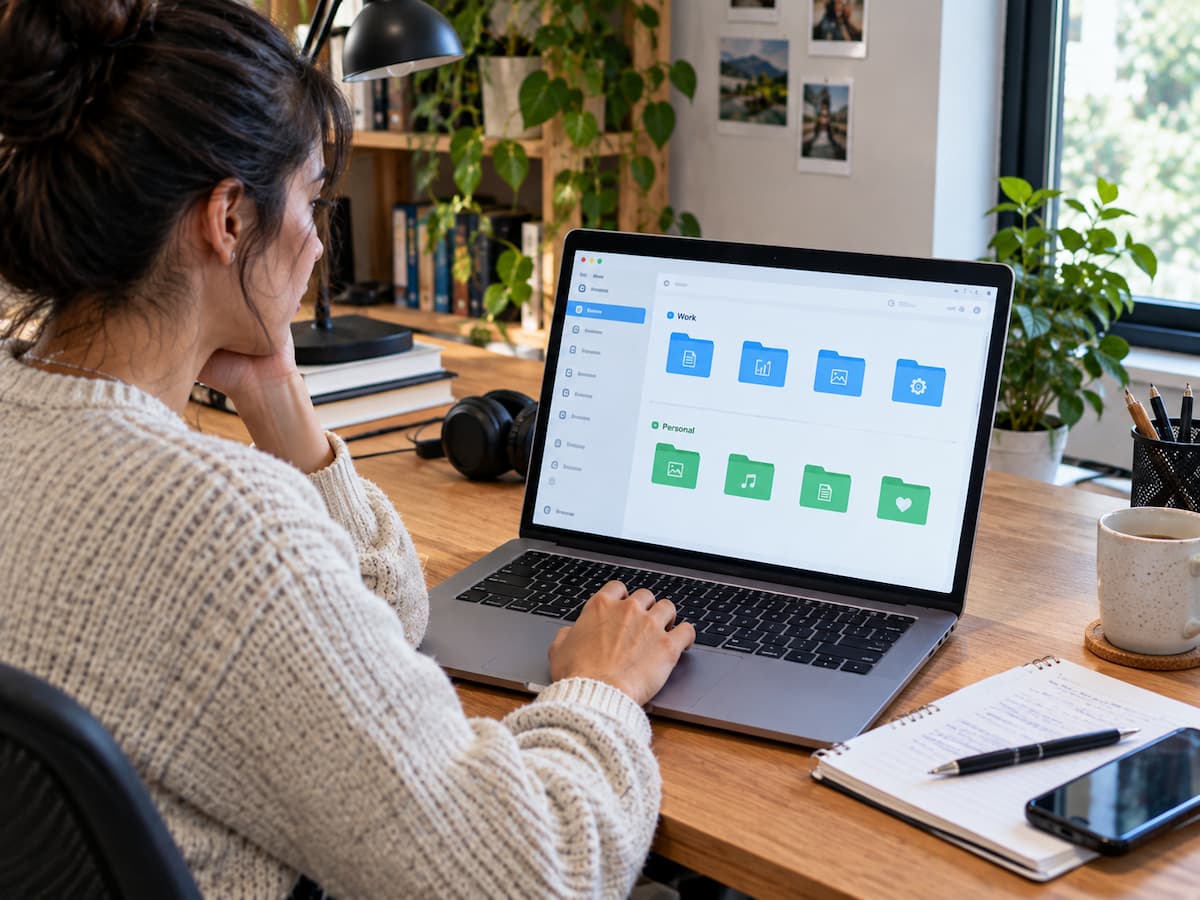
The simplest starting point is to give work and personal files different top-level homes.
For example:
Work
Personal
This does not require two computers or two cloud providers.
The purpose is simply to create a visual boundary.
Inside Work, you might have:
- Active Projects
- Finance
- Administration
- Reference
- Archive
Inside Personal, the structure can follow completely different needs.
The important thing is that you do not have to decide from scratch every time you save a file.
Build the Work Side Around How You Actually Work
There is no universal folder structure for freelancers.
A photographer may naturally organise by client and shoot.
A designer may need projects, source assets, revisions and final deliveries.
A writer may work mainly by client, publication or assignment.
Choose the structure that matches the way you already think about your work.
For example:
Work
├── Active Projects
│   ├── Client-A
│   └── Client-B
├── Finance
├── Administration
└── Archive
If you repeatedly hesitate about where a new file belongs, the structure may be too complicated.
A filing system should reduce decisions, not create them.
Give Each Active Project a Clear Boundary
Every significant project should have an obvious home.
A project does not need dozens of subfolders.
A simple structure may be enough:
Client-A
└── Website-Redesign
    ├── Source
    ├── Working
    └── Delivery
The exact folders depend on the work.
The important part is that the contract, source material, working files and final delivery can be found from one recognisable project location.
This becomes particularly valuable when an old client returns months later and asks about previous work.
Keep Business Finance Separate From Project Files
Invoices, expense receipts, payment records and tax-related documents often outlive individual projects.
That makes a separate financial area useful.
For example:
Work
└── Finance
    ├── 2026
    └── 2025
You may still keep a project invoice or contract inside the project folder if that helps your workflow.
The important financial records should also have a predictable place.
A project may end, but the related financial record can remain relevant much longer.
Keep Personal Files Outside the Work Structure
Personal files deserve their own logic.
Examples include:
- identity and personal records
- family photos
- travel documents
- education records
- household documents
- personal receipts
Do not force these into business categories simply because they live on the same computer.
The purpose of separation is not bureaucracy.
It is to prevent unrelated information from competing for the same filing decisions.
Treat Downloads as an Inbox
Downloads is one of the biggest traps for freelancers because it receives files from almost everywhere.
A client sends a PDF.
A website downloads an image.
A service generates a document.
A purchase creates a receipt.
Everything lands together.
Instead of treating Downloads as an archive, treat it as an inbox.
When a downloaded file matters:
- Identify what it is.
- Rename it if necessary.
- Move it to Work or Personal.
- Put it in the relevant project or category.
- Delete it if it has no reason to be kept.
For a deeper Downloads cleanup process, see A Practical Reset for a Downloads Folder That Got Out of Control.
The Desktop Is a Workbench, Not an Archive
The desktop is useful because files are immediately visible.
That makes it useful for active work.
It also makes it easy for temporary files to become permanent.
A downloaded contract, screenshot, exported image or personal document can sit there for months simply because it is visible.
Use the desktop as a staging area.
When the work is finished, move the file to its proper home.
You do not need to empty the desktop every night.
The goal is simply to stop it becoming the place where important files permanently live.
Use Clear Names for Files You May Need Later
Freelance work produces many files that look similar.
Names such as:
document.pdf
new-logo.png
final.docx
are difficult to interpret later.
A better filename can include the client, project, document type, date or version when useful.
For example:
ClientA-Website-Proposal-v02.docx
or:
2026-ClientA-Invoice-03.pdf
The naming system does not need to be complicated.
For a dedicated guide, see File Naming Rules That Make Old Documents Easier to Find.
Separate Active Work From Completed Work
A common freelance problem is keeping every old project beside current work.
That makes an active workspace increasingly difficult to scan.
Once a project is genuinely finished, move it to an archive.
For example:
Work
├── Active Projects
└── Archive
    ├── 2026
    └── 2025
You can organise the archive by year, client or project type.
Choose the method that matches how you are most likely to search for an old project.
The archive does not need to be perfect.
It simply needs to keep completed work out of the way while preserving access to it.
Do Not Create Multiple Copies Without Knowing Why
Freelancers often work across laptops, phones, external drives and cloud storage.
That can create several copies of the same file.
Some copies are useful.
A backup protects against loss.
A working copy may be needed on another device.
An archive preserves a completed project.
But simply copying a file everywhere does not automatically make the system safer.
Before creating another copy, know what purpose it serves.
If you cannot explain why the copy exists, it may eventually become another source of confusion.
For duplicate-file decisions, see Duplicate Files Are Not Always Safe to Remove.
Keep Backups Separate From Everyday Filing
Your filing system answers one question:
Where is the file?
A backup system answers another:
How can I recover it if the original is lost?
Do not treat a second copy on the same computer as a complete backup.
Important freelance work should have a recovery strategy appropriate to its value, including consideration of device failure, accidental deletion and previous versions where necessary.
The folder structure and the backup system can support each other, but they are not the same thing.
Have a Temporary Place for Files You Cannot File Yet
Busy freelancers will sometimes receive a file when there is no time to decide where it belongs.
That is normal.
Create one temporary area, such as:
Work
└── To File
Use it as a holding area rather than forcing a rushed decision.
The important rule is that temporary storage must remain temporary.
If the folder becomes an archive containing hundreds of files, the same problem has simply moved to another location.
A short review once in a while is enough to keep it under control.
Make the Rules Small Enough to Remember
You do not need a twenty-page filing manual.
A freelancer can often work with a handful of rules:
- Work and personal files have different homes.
- Active projects have an obvious location.
- Finance has a predictable location.
- Downloads and Desktop are temporary areas.
- Completed projects go into an archive.
- Important files get meaningful names.
- Temporary files are reviewed instead of forgotten.
If the rules are difficult to remember, they are probably too complicated.
Design the System for Busy Weeks
A filing system should be tested when you are busy, not when you have an entire Sunday available for organisation.
Freelancers have deadlines, client revisions, unexpected requests and administrative work that gets postponed.
During a busy week, the system should still make the next decision obvious.
You should be able to look at a file and quickly answer:
Is this work or personal?
Is it active, financial, reference or archived?
Does it belong to a specific project?
Can I identify it from the filename?
If those questions can be answered quickly, the system is doing its job.
Do Not Mix Client Projects With Personal Records
Clear separation is also useful for reducing accidental mistakes.
A personal document should not be dragged into a client delivery folder.
A client asset should not be accidentally included in a personal backup or shared folder.
A simple top-level separation provides a useful first boundary before more detailed organisation begins.
This is one reason a simple structure can be more valuable than a highly sophisticated one.
Review the System When the Same Problem Keeps Returning
If the same kind of file repeatedly ends up in the wrong place, do not blame yourself first.
Look at the system.
Perhaps the destination is unclear.
Perhaps there are too many folders.
Perhaps a temporary area is missing.
Perhaps the naming rule is too complicated.
For example, if every client project produces files that end up on the Desktop because the correct folder takes too long to find, the problem is probably the filing process rather than your discipline.
Fix the repeated point of friction.
Do Not Reorganise Everything at Once
A freelancer with years of accumulated files can easily turn organisation into another full-time project.
That is rarely necessary.
Start with:
- current projects
- important financial records
- frequently used reference files
- critical personal records
Leave less important historical material alone until there is a reason to use it.
When an old project is opened again, that is a good opportunity to improve its structure.
When an important old document is found, rename it if necessary.
This gradual approach keeps the system improving without creating a huge one-time workload.
The System Should Still Make Sense Six Months Later
A good filing system leaves clues for your future self.
Folder names should explain their purpose.
Filenames should identify their contents.
Archives should make completed work distinguishable from active work.
Work and personal areas should remain clearly separated.
You should not have to remember why you created a strange folder six months ago.
That is the real test of organisation.
The system should preserve enough context that you can reconstruct your own decisions later.
Organisation Should Protect Your Attention
The purpose of a freelance filing system is not to make the computer look impressive.
It is to reduce small interruptions.
Finding a contract should not require searching the entire computer.
Finding an old project should not require remembering exactly when you downloaded its files.
A personal receipt should not disappear inside a client folder.
A finished project should not compete visually with today’s work.
Each small improvement removes a little friction.
Over months and years, those small savings become meaningful.
Conclusion
A freelancer does not need a perfect digital office.
The goal is a system that keeps work and personal files clearly separated, gives active projects a predictable home, keeps financial records easy to retrieve, treats Downloads and Desktop as temporary spaces, and moves completed work into an archive.
The best system is not the one with the most folders.
It is the one that still works when you are busy.
Start with a few clear boundaries. Use meaningful filenames. Keep temporary areas temporary. Archive completed work. Review the places where files repeatedly get stuck.
Once those rules become routine, your computer can support your freelance work without constantly demanding attention.
Related Guides
Freelancers can use the same core filing principles as a personal system, with an added need to separate clients and active projects. See A Simple Digital Filing System for Finding Your Files Again and How to Organize Important Documents Without Creating Dozens of Folders for related approaches.
FAQs
1. Should freelancers keep work and personal files on separate computers?
Not necessarily. Separate top-level folders can provide a useful boundary on one computer. Separate devices may make sense for particular security, business or workflow requirements, but they are not required simply to organise files.
2. Should every client have a separate folder?
Usually, a clear project or client location is helpful when you have enough work to justify it. The structure should reflect how you actually work rather than forcing every freelancer into the same arrangement.
3. What should happen to completed projects?
Move them into an archive once active work is finished. You can organise the archive by year, client or project depending on how you are most likely to search for old work.
4. Is cloud storage a backup?
Cloud storage can provide syncing, access and sometimes version history, but you should not automatically assume that one cloud copy is a complete backup strategy. Important files need a recovery plan appropriate to their value.
5. Where should files go when I am too busy to organise them?
Use one clearly named temporary area such as To File. Review it later. A temporary folder only works if files eventually leave it.
6. How should freelancers name project files?
Use the information you are most likely to remember later, such as client, project, document type, date or version. For example, ClientA-Website-Proposal-v02.docx is more useful than final.docx.
7. Do I need to reorganise all my old files?
No. Start with current and important files. Improve older files when you have a reason to open them rather than turning the entire archive into a large cleanup project.